How Discount Stacking Actually Works
"Stacking" means applying more than one type of discount to a single purchase. The idea is straightforward, but in practice, retailers structure their promotions to limit how many savings layers a customer can use at once. Understanding the difference between discount types is the key to knowing when stacking is genuinely allowed.
The most commonly stackable combinations are: a sale price plus a loyalty reward redemption, or a store coupon plus a manufacturer coupon on the same item. The most commonly restricted combinations are: two promo codes on one cart, or a promo code layered on top of an already-marked-down clearance item.
Cashback portals sit outside the retailer's own system, which is why they often coexist with in-store discounts - but they have their own rules. Our article on cashback programs vs. coupons covers how these two savings types compare over time.
Screenshot Your Cart Before Applying Discounts
Before adding any coupon or promo code, screenshot your cart total and item list. This gives you a clear before-and-after record, which is useful if a discount doesn't apply as expected or if you need to contact customer support.
For a broader picture of intentional saving strategies, the complete guide to finding genuine discounts offers a useful framework before you dive into stacking specifics.
What You'll Need Before You Start
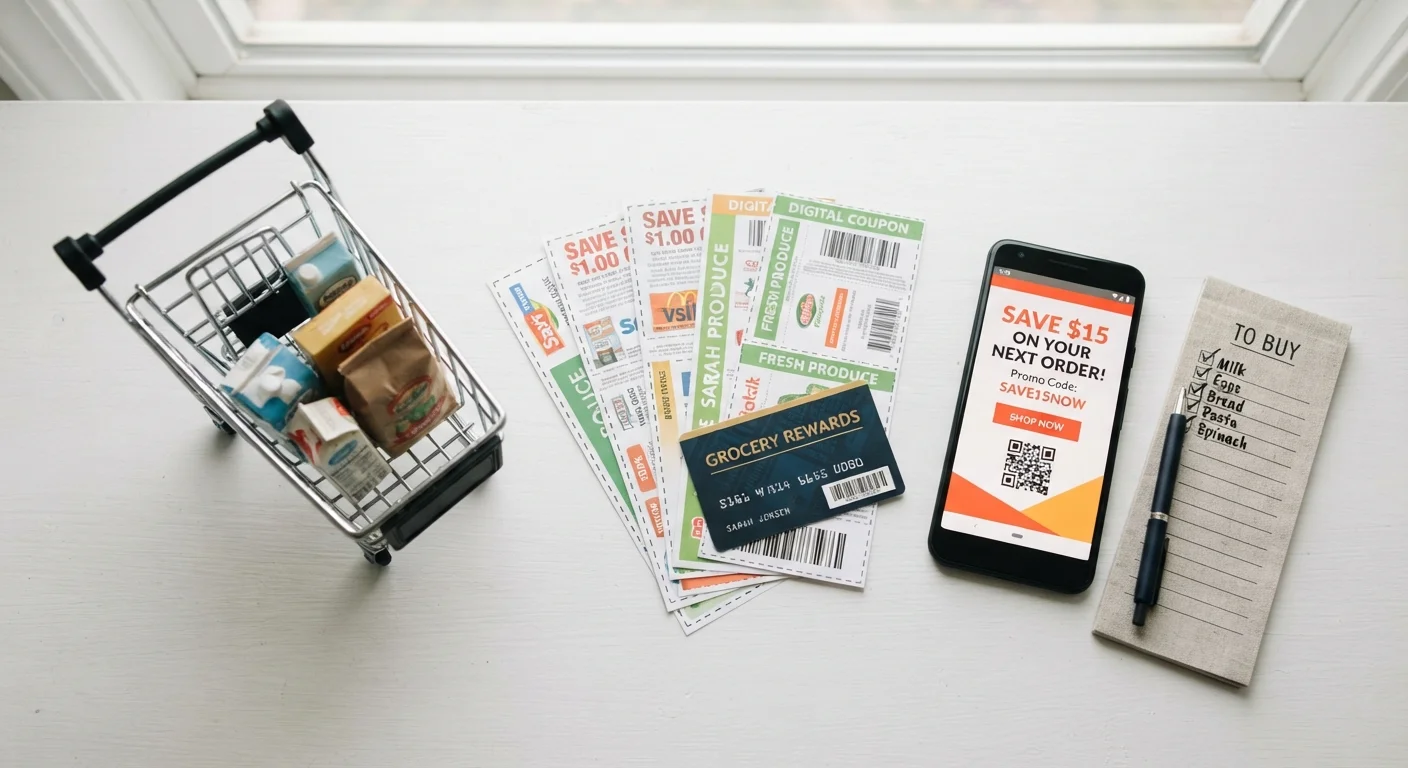
Getting organized before you shop makes the process faster and reduces the chance of missing a saving or applying something incorrectly. Gather the following:
What you will need
Having these elements in place means you won't be scrambling to find an account password or a misplaced code while your cart times out. You'll also want to have the tools below ready, depending on the savings types you're working with:
Retailer Coupon Policy Page
Explains which discount types can be combined and which are restricted to one per order.
Loyalty or Rewards Account
Allows you to accumulate and redeem points that often stack with other promotions.
Cashback Portal Account
Earns a percentage back on qualifying purchases; must be activated before checkout.
Digital Wallet or Store App
Often the delivery mechanism for store-specific digital coupons that can be layered with sale prices.
Step-by-Step: Combining Discounts Without Breaking the Rules
Follow these steps in order each time you plan to stack discounts. Skipping steps - especially the policy check and the pre-activation steps - is where most shoppers run into trouble.
Look Up the Retailer's Official Coupon or Discount Policy
Before adding anything to your cart, search the retailer's website for their coupon or promotions policy. Look for phrases like "one coupon per transaction," "cannot be combined with other offers," or "valid on sale items." This document tells you exactly what combinations are allowed - and which will be silently rejected or flagged at checkout.
If you can't find the policy on the site, call or chat with customer service. A two-minute conversation now prevents a frustrating experience at checkout.
Identify Which Discount Types You Have Available
List every discount available to you for this purchase: a manufacturer coupon, a store coupon, a promo code, loyalty points, a cashback portal activation, and any sale or clearance pricing already on the item. These are distinct discount categories, and retailers treat them differently.
Understanding the fundamentals of how discounts work will help you categorize these correctly before you try to combine them.
Check Whether Each Discount Applies to Your Specific Items
Discounts almost always come with item-level restrictions. A coupon may exclude clearance merchandise, apply only to a specific size or variety, or require a minimum purchase. Confirm each discount is valid for every item in your cart before proceeding.
Ineligible items in your cart won't necessarily block a discount from applying to other items - but they can reduce your expected savings or trigger a rejection of the entire code.
Activate Any Portal or App-Based Savings Before You Shop
Cashback portals and store app coupons typically require activation before you begin shopping - not at checkout. If you're using a cashback portal, navigate to the retailer through the portal's link, then shop. If you're using digital coupons through a store app, clip or activate them before you start adding items to your cart.
For more detail on how these tools function, see our guide on digital coupons and promo codes.
Apply Discounts in the Correct Sequence at Checkout
Order matters. As a general rule: let the sale price and any automatic store discounts apply first, then enter loyalty or rewards redemptions, then apply a promo code or coupon last. Some retailers apply codes to the pre-discount price; others apply them after existing reductions - which affects your actual savings. Check the order-summary line items after each step to confirm each discount registered correctly.
Verify the Final Total Before Submitting Your Order
Review the itemized order summary one last time. Confirm the expected discounts are reflected, the cashback portal session is still active (don't close that browser tab), and the total matches what you calculated. If any discount is missing, resolve it before submitting - it is much harder to recover a discount after an order is placed.
Violating Stacking Rules Has Real Consequences
Some retailers automatically cancel orders or claw back rewards when their system detects that prohibited combinations were used - even if you didn't realize the combination was restricted. Always confirm which discounts can be used together before completing a purchase. When in doubt, contact the retailer's customer service first.
Troubleshooting Common Stacking Problems
Even when you follow the rules, technical issues arise. Here are the situations shoppers encounter most often and what to do:
- Code says "invalid" but the policy allows it: Check whether the code has expired, whether it requires a minimum cart total you haven't met, or whether an ineligible item is in your cart. Remove suspected ineligible items and try again.
- Loyalty points didn't deduct: Some systems require you to confirm redemption on a separate screen before the final checkout page. Look for a "redeem points" toggle in your account section, not just at the payment step.
- Cashback didn't track: Most portals have a claims process for missing cashback. File the claim within the portal's stated window (often 30-60 days) and provide your order confirmation number.
Cashback Portals Can Be Voided by Other Codes
Many cashback portals explicitly state that using a promo code from outside their platform will void your cashback earnings for that transaction. Check the portal's terms before applying any external discount code. If you can't verify compatibility, you may have to choose one savings method over the other.
If you shop across multiple categories regularly, the spending by category hub and our smart online shopping resource both offer category-specific guidance on where stacking opportunities are most common.