

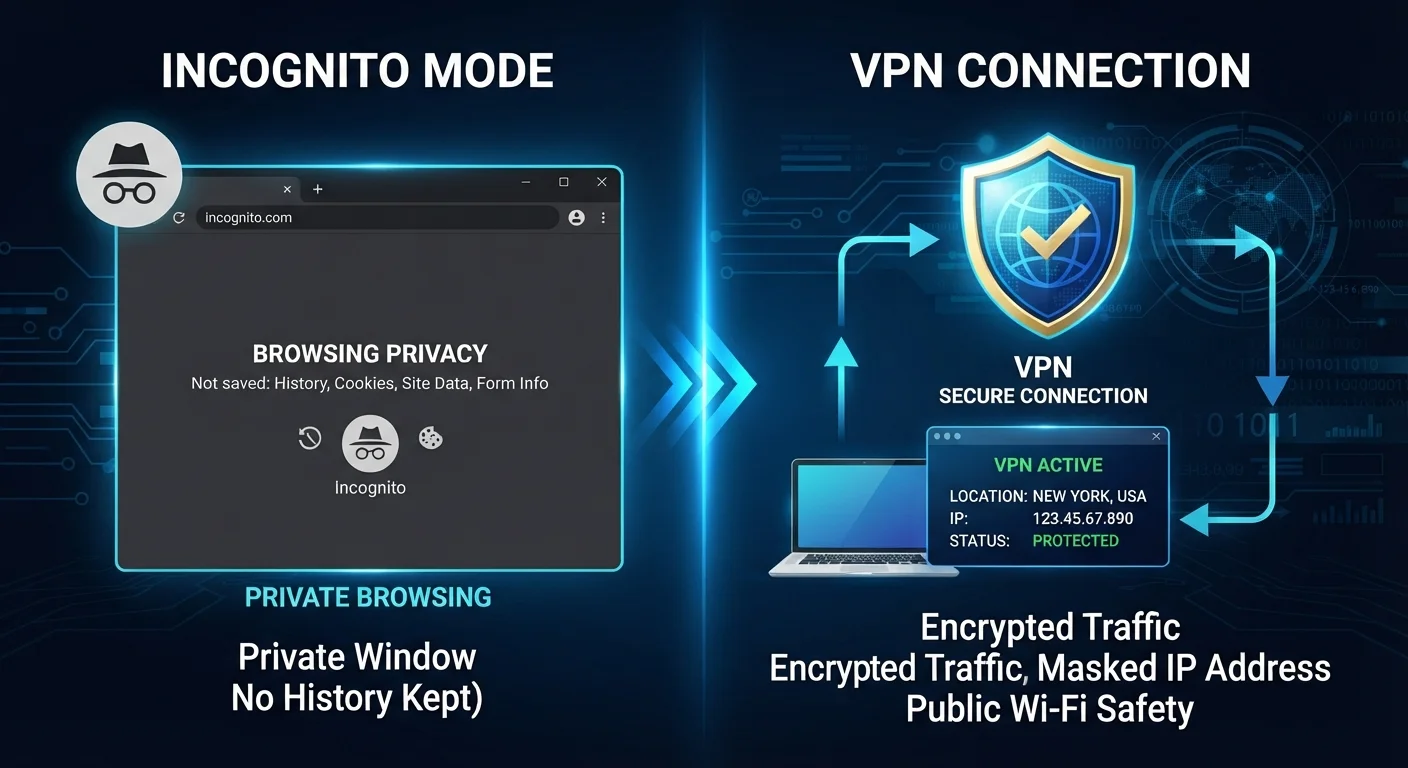
What Private Browsing Mode Actually Does
Every major browser - Chrome, Firefox, Safari, Edge - offers a private or incognito window. When you close one of these sessions, the browser discards the history, cookies, and any form data from that window. That's genuinely useful when you're on a shared computer or want to stop a site from reading a cookie set in your regular session.
What incognito mode does not do is hide your activity from the outside world. Your internet service provider (ISP) still sees every domain you visit. The websites you land on still log your IP address. Your employer's network can still record your traffic. Google itself notes in Chrome's incognito disclosure that your activity may be visible to websites you visit, your employer or school, and your ISP.
This is the misunderstanding that causes real problems. Many people assume private browsing means they're anonymous online. In practice, it means they're anonymous to the device - nothing more. For a fuller picture of what ordinary browsing exposes, see what you're sharing without knowing it.
What a VPN Actually Does
A VPN creates an encrypted tunnel between your device and a server operated by the VPN provider. Traffic leaving your device is scrambled before it ever reaches your router or ISP. To your ISP, it looks like you're connecting to the VPN server - not to the individual websites you actually visit.
This matters most in two situations: public networks and ISP-level surveillance. On a coffee shop's open Wi-Fi, other people on the same network can potentially intercept unencrypted traffic - a VPN closes that gap. Public Wi-Fi carries real risks that incognito mode does nothing to address.
A VPN also masks your IP address from the sites you visit, replacing it with the VPN server's address. That limits one common method websites use to track and identify users across sessions.
The important caveat: a VPN does not clean up your device. If you log into a site while using a VPN, that site knows who you are. Your browser still saves history and cookies in a normal window. And your VPN provider itself can see your traffic - which is why the provider's own logging and privacy practices matter significantly.
| Criterion | Private Browsing Mode | VPN |
|---|---|---|
| Hides activity from your ISP | No | Yes |
| Hides activity from websites you visit | No | Partial (masks IP address) |
| Protects you on public Wi-Fi | No | Yes |
| Clears local history and cookies after session | Yes | No |
| Requires setup or an account | No - built into the browser | Yes - needs a VPN service |
| Encrypts internet traffic | No | Yes |
| Masks your IP address | No | Yes |
| Provider can see your traffic | N/A | Yes - depends on provider's policy |
The Overlap, the Gaps, and What to Use When
These two tools address different threat models, which is why the comparison keeps tripping people up. Private browsing is about local cleanup; a VPN is about network-level protection. You can use them simultaneously - opening a private window while connected to a VPN - and get some benefit from each. But stacking them doesn't create a bulletproof anonymity layer.
40%+
Americans who misunderstand incognito mode
A DuckDuckGo survey found a significant share of US internet users incorrectly believed incognito mode hid their activity from their ISP or employer.
~1 in 3
US adults who have used a VPN
Pew Research Center data indicates roughly a third of American adults have used a VPN to access the internet, though usage reasons vary widely.
There are gaps neither tool covers. Neither stops malware already on your device. Neither prevents phishing attacks that trick you into handing over credentials voluntarily. Neither substitutes for keeping your operating system and browser updated, or for using strong, unique passwords with a password manager. For a look at security habits that sound protective but actually aren't, see online safety myths worth dropping.
Browser extensions are another related consideration - some privacy-focused extensions genuinely reduce tracking, while others introduce new risks. Understanding what extensions actually do is worthwhile before adding them to your stack. And if you haven't explored your browser's built-in privacy settings, those are worth a look too - see browser privacy settings most people never touch.
The practical takeaway: use private browsing when you want to keep a session off your local device. Use a VPN when you're on a network you don't fully trust, or when you want to limit what your ISP can observe. Knowing which problem each tool solves keeps you from relying on the wrong one at the wrong moment.
VPN Providers Can See Your Traffic Too
When you use a VPN, you're shifting trust from your ISP to the VPN provider. That provider can potentially log and store your browsing activity, depending on their policies. Before choosing any VPN service, review whether the provider has an independently audited no-logs policy. No VPN provider should be treated as automatically trustworthy simply because it markets itself as privacy-focused.


