

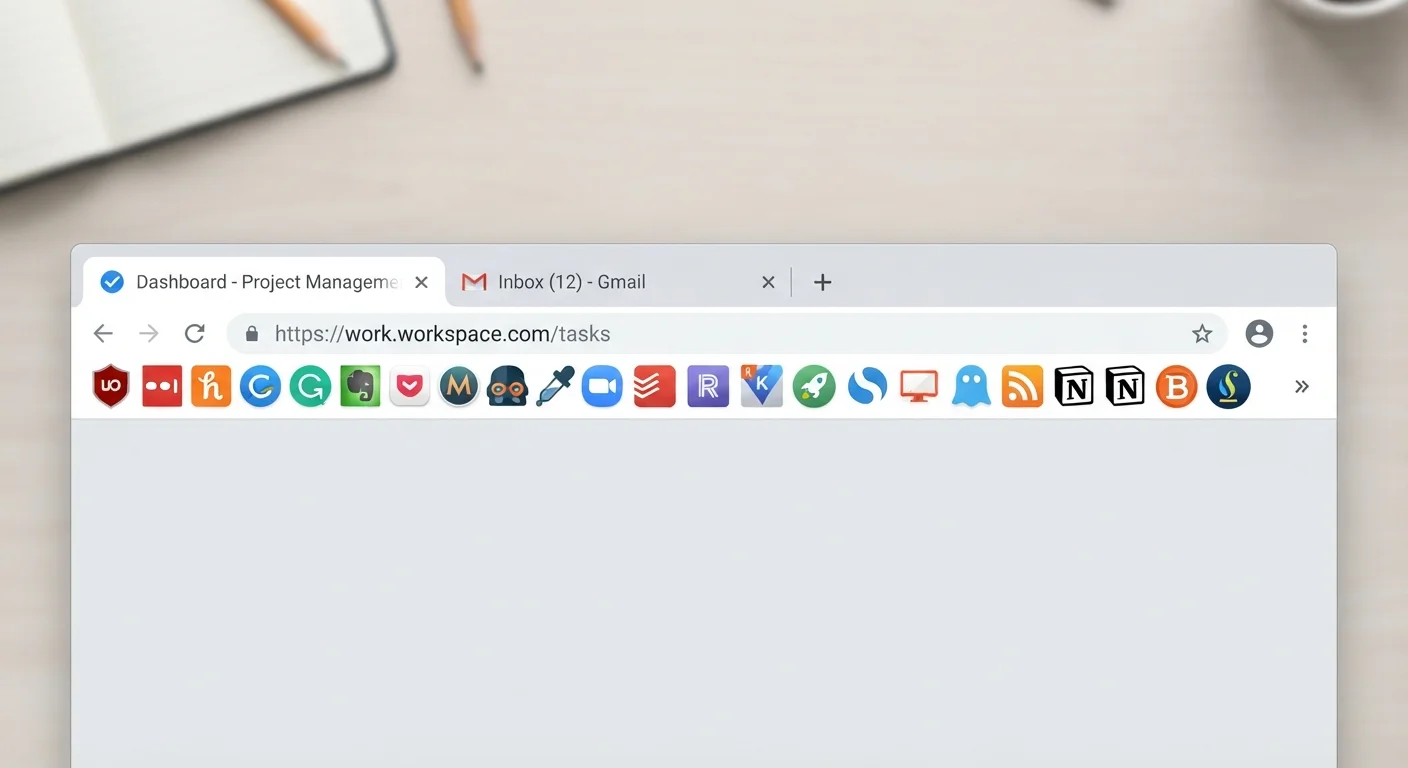
What Browser Extensions Actually Are
A browser extension is a small software program that plugs directly into your web browser - Chrome, Firefox, Edge, Safari - and modifies or adds to what the browser can do. Unlike standalone apps, extensions run inside the browser itself, which means they often have access to the pages you visit, the text you type into forms, and in some cases your login sessions.
That level of access is precisely what makes extensions powerful and, when misused, potentially harmful. Understanding both sides helps you make smarter decisions about which ones earn a place in your browser. For a broader look at how everyday browsing exposes personal data, see what you're sharing without knowing it.
The Genuine Advantages
At their best, extensions solve real problems that browsers don't handle natively.
Block intrusive ads and reduce malvertising exposure
Ad-blocking extensions filter out not just annoying banners but also malicious ads that can redirect browsers to harmful sites, providing a layer of defense most users don't get by default.
Integrate password managers directly into login forms
Password manager extensions auto-fill credentials without requiring you to copy-paste from a separate app, making strong, unique passwords far more convenient to use consistently.
Improve reading and accessibility significantly
Reader-mode and text-scaling extensions strip away visual clutter or adjust content presentation, making the web genuinely more accessible for users with dyslexia, low vision, or cognitive differences.
Surface price history data for smarter shopping
Certain extensions display historical price charts on product pages, helping shoppers evaluate whether a sale price is real or a baseline dressed up as a discount.
Automate repetitive browser tasks
Extensions can auto-fill forms, organize tabs, or flag broken links - reducing the manual work of navigating the web efficiently during a busy day.
Ad blockers, for instance, don't just reduce visual clutter - they can meaningfully reduce your exposure to malvertising (malicious ads used to deliver malware). Password manager extensions integrate directly into login forms, reducing the temptation to reuse weak passwords. Screen reader and accessibility extensions make the web usable for people with visual or cognitive impairments. Reader-mode extensions strip away distracting page elements and make dense articles far easier to absorb.
For shoppers, certain extensions surface price history data so you can judge whether a listed price represents genuine value - a habit worth pairing with smarter online shopping behaviors.
The Hidden Downsides Worth Taking Seriously
The risks aren't hypothetical. They're baked into how extensions work.
Broad permissions grant access to nearly everything you do
Many extensions request the ability to read and modify data on all websites, meaning a compromised or dishonest developer could theoretically capture passwords, form inputs, or browsing history.
Extensions from outside official stores carry malware risk
Extensions distributed via third-party websites bypass the review processes of official browser stores, making it far easier for malicious code to reach your browser undetected.
Abandoned extensions become unpatched security liabilities
When a developer stops maintaining an extension, known vulnerabilities go unaddressed. An extension that was safe two years ago may not be safe today if the browser or underlying APIs have changed.
Extensions can be sold and repurposed without notice
A trusted extension can change hands; new owners have been documented quietly pivoting previously reputable tools toward data collection or ad injection, with no visible warning to existing users.
Performance overhead accumulates across multiple extensions
Each active extension consumes memory and may inject scripts into every page you load, slowing browser performance - an effect that compounds noticeably when several are installed simultaneously.
Browsing data may be sold to third parties
Some extension developers generate revenue by selling anonymized - or not-so-anonymized - browsing data to advertising networks and data brokers, often buried deep in their privacy policy.
Official Stores Aren't a Perfect Filter
Passing a browser store's review process doesn't guarantee an extension is completely safe - it lowers the risk meaningfully, but malicious extensions have made it through official vetting in the past. Checking permissions, developer reputation, and recent update history adds an important second layer of judgment that the store review alone doesn't provide.
Extensions slow browsers down even when they aren't actively doing anything visible. Each installed extension consumes memory and can inject code into every page you load, compounding page-load times. On older hardware this is particularly noticeable.
The permissions problem is the most consequential risk. When an extension asks to "read and change all your data on websites you visit," that's not boilerplate - it's a genuine capability grant. Some developers use that access legitimately; others sell the browsing data they collect to third-party data brokers. Because this happens in the background, most users never notice.
Extensions also don't stay safe forever. A developer can sell a once-trustworthy extension to new owners who repurpose it for data harvesting, or simply stop maintaining it, leaving known vulnerabilities unpatched. Reviewing what's in your browser periodically matters more than most people realize. The same scrutiny you'd apply to a new app download - covered in evaluating a new app before you download it - applies directly here.
How to Use Extensions More Safely
A few practical habits sharply reduce the risk without giving up the benefits.
~180,000
Extensions available in Chrome Web Store
Google's Chrome Web Store hosts roughly 180,000 extensions, illustrating the scale of choice - and the difficulty of vetting them all.
Over 50%
Extensions with high-risk permission requests
Research published by security firms has found that a significant share of popular browser extensions request permissions broader than their stated functionality requires.
Install only from official browser stores. Chrome Web Store, Firefox Add-ons, and Microsoft Edge Add-ons all require developers to agree to policies and undergo some degree of review. Extensions downloaded from random websites bypass those checks entirely.
Read permissions before you click "Add." If a simple to-do list extension wants access to all your browsing data, that's a mismatch worth questioning. Permissions should make sense for what the extension actually does.
Check the developer and update history. An extension last updated two years ago is likely unmaintained. Look for a named developer or organization with a track record, not just a five-star average from unverified accounts.
Audit regularly. Open your browser's extension manager every few months and remove anything you no longer use or don't recognize. Fewer extensions means a smaller attack surface. This pairs naturally with reviewing your browser privacy settings and understanding which safety habits actually work.
If a password manager extension is part of your setup, it's also worth understanding how browser-based credential storage compares - see password managers vs. browser-saved passwords for a clear breakdown.


