

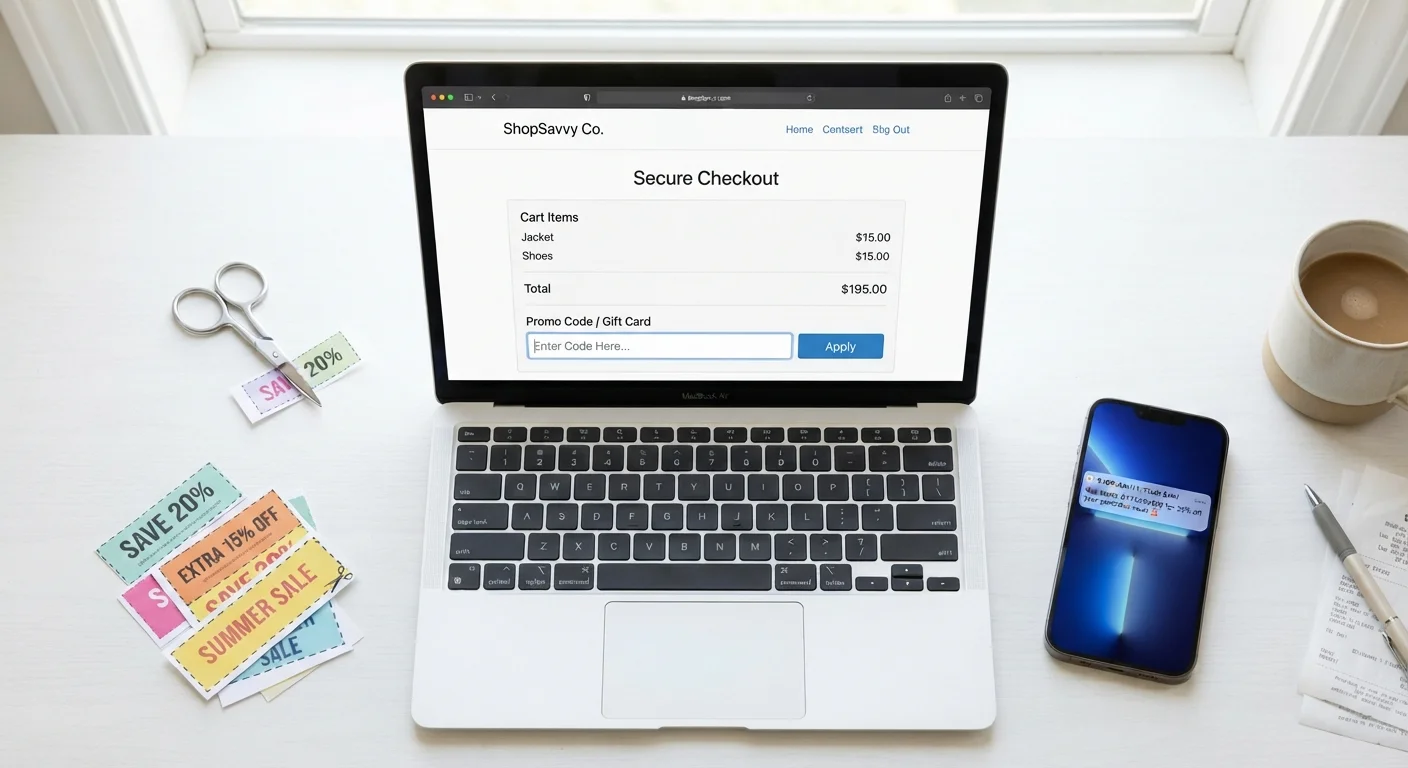
How a Promo Code Actually Works at Checkout
When you type a promo code into the checkout field and hit apply, the retailer's system runs an instant validation check against a stored rule set. That rule set defines everything: the discount type (percentage, flat dollar amount, or free shipping), which products or categories qualify, the minimum order value required, the maximum number of times the code can be redeemed, and when it expires.
If every condition is met, the discount is applied to your order total. If even one condition fails, you get an error - usually a generic message like "code is invalid or expired" that doesn't tell you which rule you tripped. That lack of transparency is a common source of shopper frustration.
This is why reading the fine print attached to any code matters. A code advertised as "20% off" may only apply to full-price items, exclude a specific brand, or require a $50 minimum cart value. None of those restrictions will be visible in the checkout field itself.
Always Source Codes from the Retailer Directly
Before entering any promo code, check whether the retailer's own website, app, or official email newsletter has a current offer. Codes sourced directly from the retailer are far more likely to be valid and unrestricted than those found on third-party aggregator sites. Signing up for a retailer's email list often unlocks codes that aren't publicly posted.
Common Reasons Codes Fail
Beyond simple expiration, several less-obvious conditions can cause a valid-looking code to bounce at checkout:
- Single-use per account: Many codes issued through email campaigns are tied to one email address or account. Using a different login - or creating a new account to reuse a code - typically won't work because the system tracks by email.
- Total redemption caps: A retailer might issue a code valid for only 500 uses site-wide. Once that cap is hit, the code deactivates for everyone, even before its posted expiration date.
- New-customer restrictions: Codes sent via welcome emails are frequently restricted to accounts with no prior purchase history. Existing customers who find these codes shared online cannot apply them.
- Excluded sale items: Promotional codes almost always exclude items already marked down in a site-wide sale. Stacking a code on top of a clearance price is rarely permitted.
- Geographic restrictions: Some codes are distributed only in certain regions and will fail if your billing or shipping address doesn't match.
~50%
Coupon codes on aggregator sites that are expired or invalid
Industry analyses of coupon aggregator databases have consistently found that roughly half of publicly listed codes are no longer active at any given time.
1 per order
Promo code limit at most major US retailers
A review of checkout policies at major US online retailers shows that single-code-per-order is the dominant default, with stacking limited to loyalty rewards in select cases.
If a code fails, it's worth checking whether the item in your cart is on sale, whether you're logged into the correct account, and whether the code came from a source that might have shared it after its redemption cap was reached.
Stacking, Timing, and the Limits of "Free" Codes
Stacking - applying more than one discount to a single order - is one of the most misunderstood areas of coupon use. Most major retailers explicitly prohibit combining two promotional codes. What they may allow is pairing one code with a loyalty reward balance or store credit, since those are treated as separate discount types in their system. For a deeper look at how this works across different deal types, see how discount stacking works in practice.
Timing also matters more than most shoppers realize. Retailers sometimes use countdown timers or "limited time" framing around codes, but the actual deactivation point may be flexible. For context on how urgency tactics are often deployed around promotions, understanding limited-time offer mechanics explains the pattern.
A separate consideration: not all "free" promo codes carry the same value. A free-shipping code saves money only if you would have paid for shipping otherwise. A 10% code on a single item may save less than simply waiting for a broader site sale. Comparing the actual dollar impact - rather than the headline percentage - gives a clearer picture of real savings.
Cashback and Codes Can Sometimes Coexist
Applying a promo code doesn't automatically disqualify you from earning cashback through a separate cashback app or browser extension - these operate at a different layer than the retailer's checkout system. However, some cashback programs exclude orders made with a promo code, so check the program's terms before assuming both savings will apply simultaneously.
Where Codes Come From and What That Tells You
Understanding a code's source helps predict its reliability. Codes distributed directly by the retailer via email, app notification, or their official social channels are the most likely to be current and unrestricted. Codes scraped and republished by coupon aggregator sites are often outdated; these sites frequently display codes without verifying whether they are still active.
Browser extensions that automatically apply codes at checkout work by testing a library of known codes in sequence - they can find working codes, but they also introduce a time delay and may not surface the highest-value option available. They are a convenience tool, not a guarantee of the best discount.
For shoppers building more intentional deal habits, a beginner's guide to how discounts actually work covers the broader landscape beyond codes alone. And if you want to weigh promo codes against cashback programs, comparing cashback and coupons over time is worth reading before deciding where to focus your energy.
The takeaway: treat a promo code as a potential saving, not a guaranteed one. Verify the terms before building an order around it, and always have a fallback if the code doesn't apply.


